
Sessions
NetFlow and IPFIX exporters describe traffic as a stream of records. A single TCP connection or UDP exchange may produce many records, and several network devices may report the same traffic. The Sessions view turns those observations into conversations an analyst can read:
client 10.0.0.42:53124  ->  server 10.0.10.12:443  TCP
duration 38s, 182 KB client->server, 4.1 MB server->client
observed by 2 exporters, matched rule: web-to-api
This page explains what is grouped, what remains separate, how client and server roles are assigned, how observations from several exporters are consolidated, and how address or port translation changes that decision.
The Three Levels Of Traffic Data
The most important distinction is the difference between a flow, a session and a consolidated conversation:
NetFlow/IPFIX records
        |
        | fold records with the same sockets on one exporter
        v
per-exporter sessions
        |
        | correlate observations made by different exporters
        v
consolidated conversations
| Level | Meaning | Use it when… |
|---|---|---|
flows | One row per raw NetFlow/IPFIX record. Each direction and export interval may be separate. | You need the exporter’s original counters, interfaces, flags or timestamps. |
sessions | One bidirectional conversation as seen by one exporter. | You need to compare what individual devices observed. |
sessions_consolidated | One real conversation assembled from matching per-exporter sessions. | You want a topology-independent investigation view without counting the same traffic several times. |
The Sessions page uses consolidated conversations for its ribbons and totals. The underlying per-exporter sessions are still preserved: consolidation never deletes or rewrites the individual observations.
How A Per-Exporter Session Is Built
1. Identify The Conversation
For one exporter, records belong to the same session when they have the same:
- protocol;
- two endpoint IP addresses;
- two endpoint ports;
- exporter address;
- active lifecycle.
The endpoint order does not matter. A record from A to B and the reply from B to A therefore enter the same session. A later connection reusing the same sockets after the previous session closed starts a new session.
NAT is not inferred at this stage. An exporter records exactly the addresses and ports visible at its observation point.
2. Preserve Both Directions
Packets, bytes, TCP flags and timing are accumulated separately for each direction. After the client/server role is known, the result is exposed as:
client_to_server_*for requests or uploads;server_to_client_*for replies or downloads.
This distinction matters for investigations. A large download must not be mistaken for data exfiltration simply because it has a large total byte count.
3. Track The Lifecycle
Before a session reaches historical storage, the sessionizer tracks it in memory:
| State | Meaning |
|---|---|
| active | Traffic is being exchanged, or the protocol-specific idle timeout has not elapsed. |
| half_open | TCP only: an opening SYN was observed but no reply has been seen. This often represents a scan, a drop or an unavailable service. |
| closed | The conversation ended or timed out. Counters and endpoint roles are now stable. |
A session closes because of a TCP FIN/RST, a no-reply timeout, an idle timeout,
or capacity protection. Historical sessions and sessions_consolidated
queries contain closed observations; live pressure and half-open counts are
shown in the Cockpit.
4. Decide Which Endpoint Is The Server
Network flow records do not provide a reliable client or server field.
obserae evaluates the following evidence in order and stops at the first rule
that gives a single answer:
| Priority | Evidence | Confidence |
|---|---|---|
| 1 | An unambiguous TCP opening pattern identifies the listener. | HIGH |
| 2 | Exactly one endpoint declares the observed service in Cartography. | HIGH |
| 3 | A privileged service port is paired with an ephemeral client port. | MEDIUM |
| 4 | Exactly one port is a known service port for the protocol. | MEDIUM |
| 5 | Strong directional volume asymmetry suggests the response side. | LOW |
| 6 | The lower port is used as a stable fallback. | LOW |
The chosen method is stored in role_method; its trust level is stored in
role_conf. LOW does not mean the session is invalid. It means the traffic did
not provide enough evidence to treat the client/server orientation as proven.
This confidence also affects NAT correlation: only HIGH and MEDIUM role assignments may establish a NAT relationship.
Cartography Context Recorded With Each Session
At the same moment it decides the client/server orientation, Obserae records
what the Cartography knows about both endpoints: the host name, the network
interface carrying that address, the host’s role, and — for the server side —
the catalogued service and its purpose. These become queryable columns
(client_host, server_host, server_service, …), so an investigation reads
machine names instead of addresses without any extra lookup. See
NFQL.
Because the context is recorded at that moment rather than resolved when you query, it reflects the Cartography as it stood when the traffic was observed. Editing the Cartography afterwards does not rewrite past sessions. That is deliberate: reconstructing an incident should show the names that were in use at the time. It does mean a renamed host appears under two names either side of the change, and that sessions recorded before a host was added to the Cartography keep empty context.
Using The Sessions Page
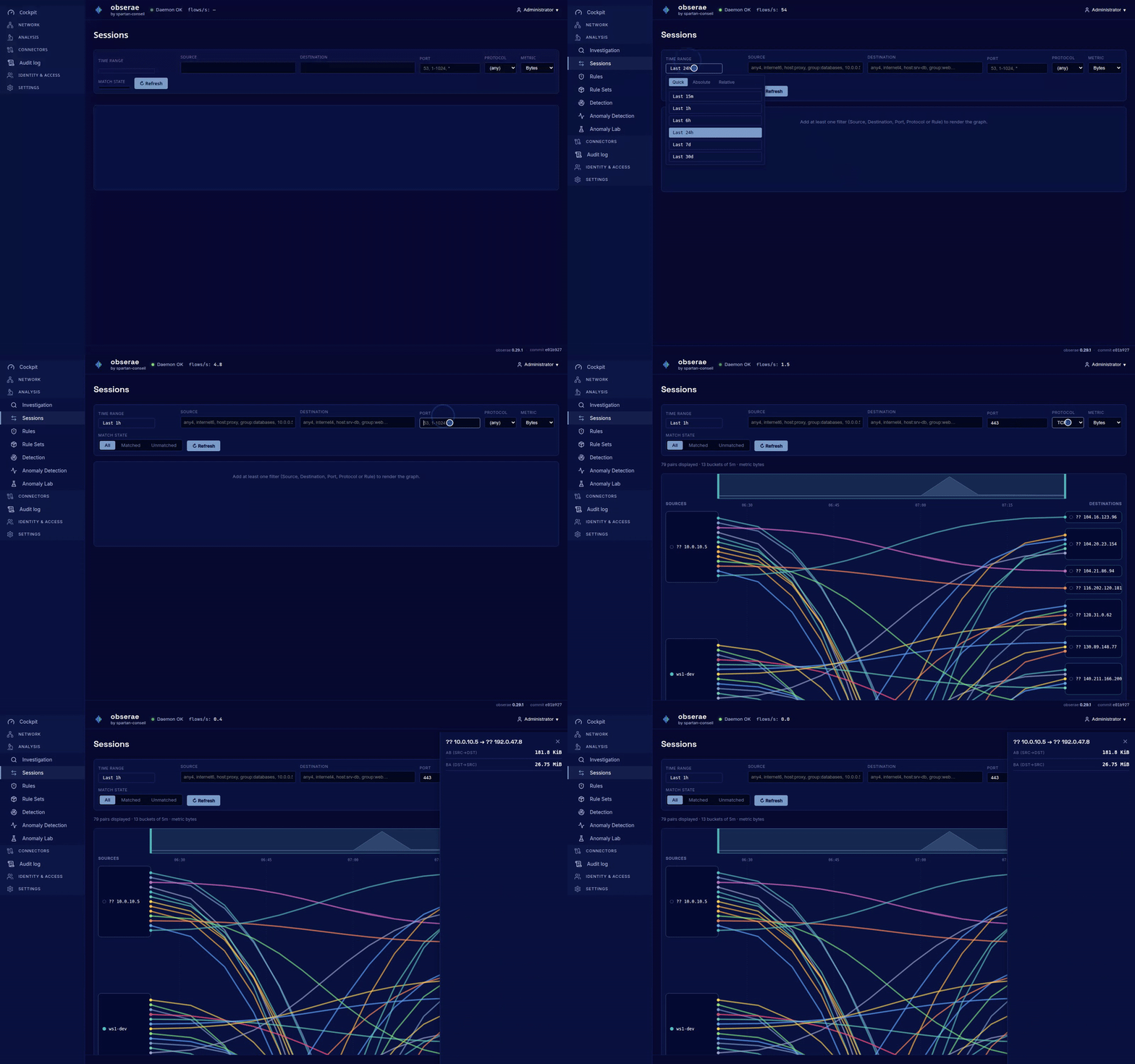
Open Sessions from the Analysis group. Start with a time window, then narrow the view with:
- source and destination entities;
- IPs, hosts, networks, groups or Cartography references;
- port and protocol;
- Flow Matrix rule;
- match state: All, Matched or Unmatched.
Each ribbon connects the client side to the server side. Its width represents the selected metric over time. Click a ribbon to open its summary drawer.
Match State
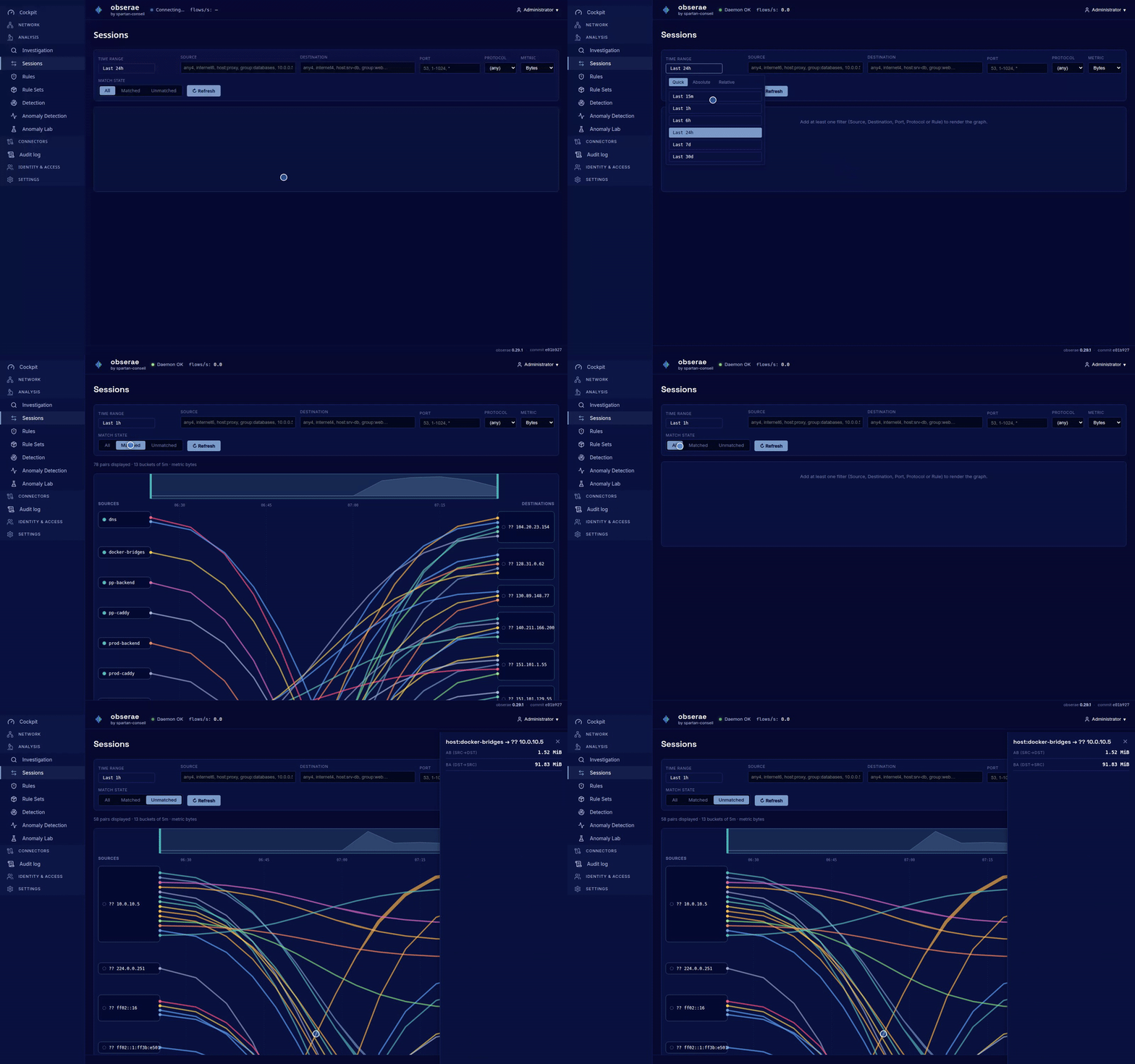
- All shows every conversation in the selected scope.
- Matched keeps conversations covered by at least one Flow Matrix rule.
- Unmatched keeps conversations that no rule covered.
Matcher results arrive a few seconds after a session closes. A newly closed conversation can briefly appear unmatched until the next matcher cycle.
Use Unmatched to maintain the Flow Matrix as a living baseline:
- Review unmatched traffic over a representative period.
- Confirm which patterns are legitimate.
- Add expected traffic to the Flow Matrix.
- Investigate or alert on what remains.
Consolidating Observations From Several Exporters
Suppose a switch and a firewall both report this conversation:
switch:   10.0.0.42:53124 -> 10.0.10.12:443 TCP
firewall: 10.0.0.42:53124 -> 10.0.10.12:443 TCP
obserae first attempts an exact correlation. Two observations are eligible when:
- they came from different exporters;
- protocol and both endpoint sockets are identical, regardless of endpoint ordering;
- their traffic intervals overlap, allowing the configured clock-skew window.
Exact socket equality always has priority over NAT inference. If several recent observations could match, packet agreement is considered first, byte agreement second, time proximity third, and a stable identifier breaks the final tie.
All selected observations receive one correlation_id. The consolidated row
does not sum redundant exporter counters. Instead it exposes per-direction
minimum and maximum values, together with coherence_pct:
coherence_pct = 100 x smallest exporter packet total / largest exporter packet total
| Value | Interpretation |
|---|---|
| 100% | Exporters reported the same packet total. |
| 90-99% | Small differences, commonly caused by export timing or observation position. |
| Below 90% | The devices saw materially different portions of the conversation; inspect the per-exporter sessions. |
Use sessions_consolidated for counts, timelines and investigation overview.
Use sessions when exporter disagreement is itself important.
Conversations Crossing NAT
NAT changes the socket visible on one side of a gateway. Exact correlation would otherwise treat the pre-NAT and post-NAT observations as two independent conversations.
obserae supports one-sided SNAT, DNAT and port translation (PAT) without requiring exporters to provide NAT-specific IPFIX fields. It infers the relationship only from the two ordinary traffic observations.
SNAT And PAT
For source NAT, the server socket stays unchanged while the client socket is translated:
inside exporter:   10.0.0.42:53124    -> 198.51.100.20:443
outside exporter:  203.0.113.7:62001  -> 198.51.100.20:443
                    ^ translated         ^ unchanged server
The relationship is SNAT. It is also PAT because the client port changed from
53124 to 62001.
DNAT
For destination NAT, the client socket stays unchanged while the server socket is translated:
outside exporter:  198.51.100.50:54000 -> 203.0.113.10:443
inside exporter:   198.51.100.50:54000 -> 10.0.10.12:8443
                    ^ unchanged client    ^ translated destination
The public destination is the original pre-NAT server endpoint. The internal destination is the translated server endpoint.
The NAT Decision, Step By Step
NAT correlation runs only after exact socket groups have been formed. It may attach a translated observation to that exact group, but it never splits or overrides an exact match. A candidate must pass every gate below:
- Supported traffic — both observations use TCP or UDP, use the same IP family and overlap in flow time.
- Reliable roles — both sessions have a HIGH or MEDIUM client/server role.
- One unchanged endpoint — either the complete server socket is identical (SNAT/PAT) or the complete client socket is identical (DNAT). If both sides changed, no relationship is inferred.
- Similar traffic — packet totals and byte totals are compared separately.
Both ratios must meet
correlation.nat.min_similarity_pct, 70% by default. - Proven direction — obserae must know which exporter observed the pre-NAT side and which observed the post-NAT side.
- Single translation — a consolidated conversation may contain only one NAT edge. A second translation is refused rather than creating a NAT chain.
The NAT confidence is the lower of the packet-similarity and byte-similarity scores. A row at 82% therefore means that both measures passed the threshold, and the weaker one scored 82%.
When several eligible candidates share the same unchanged endpoint, candidates are ranked deterministically by packet similarity, byte similarity, time gap and stable session identifier. Only the best candidate is selected.
How Translation Direction Is Proven
Knowing that two observations describe one conversation is not enough. obserae
must also know which of them came first — which side is the original address
and which is the translated one. That is never guessed. Three proofs are
available, and the direction_method column on nat_relations records which
one actually decided.
1. Address scope (scope). One side is routable, the other private:
- SNAT moves a client from an internal address to a routable address;
- DNAT moves a server from a routable destination to an internal destination.
2. The cartography (cartography). The declared topology says who translates
for whom — in either of two forms: explicitly, a NAT rule you declared on
the network, or implicitly, a host that simply has an interface in both
networks. Both are the same cartography proof and both are equally trusted; the
NAT page shows them as declared (explicit) and map
(implicit) so you can tell an inference from the map apart from a gateway you
named. See Declaring What a Device Translates below.
3. Exporter order (exporter_path). For a private-to-private translation
between two exporters, obserae learns which exporter sits on which side from
earlier public/private translations that crossed the same pair. The default
requires at least three observations with 90% agreement. If the evidence later
conflicts, private NAT correlation for that exporter pair is suspended and the
observations stay separate until the direction is trustworthy again. Learned
paths survive a daemon restart.
Declaring What a Device Translates
The exporter-order proof needs two exporters. It cannot help when a single probe sees both sides of a translation — the common case being a NAT that runs on the machine that is also the probe:
                     one softflowd, one exporter address
                                      │
  container 172.18.0.23 ──▶ docker0 ──┼──▶ eth0 10.20.1.6 ──▶ 51.210.150.159:10050
                                      │
        seen as: 172.18.0.23 → 51.210.150.159       (pre-NAT)
                 10.20.1.6   → 51.210.150.159       (post-NAT)
Both sightings carry the same exporter address, both clients are private, so neither proof 1 nor proof 3 applies. Without a declaration these stay two unrelated conversations, and the container traffic looks like it comes from the host.
A NAT rule on the translating host resolves it, and is the strongest proof of all — you stated it. Declare rules from the NAT page, which also proposes the ones obserae has already noticed:
nat:
  rules:
    - {host: dockerhost, type: snat, network: docker-default}
A rule is also the ONLY proof that can orient an inbound redirection between two private addresses — a port forward seen by a single probe is invisible to every inferred proof. See NAT for the whole model, including port forwards, proposals, and what declaring one changes in the flow matrix.
The map alone can still prove a translation without any rule, when the topology
says it outright: give the translating host an interface in both networks and
obserae reasons that 172.18.0.23 belongs to docker-default, 10.20.1.6 is
an interface of dockerhost, dockerhost also has a foot in docker-default,
and the two networks differ.
Two conditions keep both forms a proof rather than a guess:
- the two networks must differ. Two machines on one segment are neighbours, not a translation;
- the translating host must have an interface outside the network it translates for. A host with no foot outside cannot translate anything.
A single probe accepts only these declared proofs — not the address-scope
one. That is deliberate. Two observations from one vantage point are not two
vantage points: without a declaration, 10.0.0.5 → 8.8.8.8 and
203.0.113.7 → 8.8.8.8 seen by the same probe with similar volumes are as
plausibly two unrelated clients of a busy resolver as they are one translation.
With two probes straddling a gateway the topology itself corroborates; with one
probe, only your declaration can.
A declared rule also lowers the volume-similarity floor the two sides must clear
(correlation.nat.rule_min_similarity_pct, default 40 % against the usual
70 %): a firewall that drops, retries or re-fragments legitimately shows
different counters on each side. The guard is loosened, never removed.
Set correlation.nat.use_cartography: false to switch the declared proofs off
entirely. Installations that declare no networks are unaffected either way. This
setting — and correlation.nat.enabled, the master switch for the whole
inference pass — are the boot defaults: both can be flipped at run time (no
restart) from the NAT page, which persists the override.
The Translated Leg Is Absorbed
Once the two legs are folded into one conversation, the leg wearing the
firewall’s address stops being reported as a relation of its own: Flow Matrix
rules no longer match it, and the firewall’s cartography drawer no longer lists
it among its own conversations. The Sessions riverview labels the surviving
ribbon via
Rejecting a False Translation
Detection is inference, and inference can be wrong: two clients of one busy server, seen by a single probe with similar volumes, can look like a translated pair when they are not. When you recognise a detected translation as spurious, invalidate it from the NAT page. obserae records the rejection durably (keyed by the translation’s own identity, so it survives a restart and even the row ageing out) and, from the next correlation pass on, stops merging those two conversations — restoring the two distinct conversations to the flow matrix. A rejection is reversible: restore it and detection reconsiders the translation. Rejections never touch exact socket correlation; they only suppress this inference layer.
Volumes Under a Colocated NAT
When one probe reports both sides, the same bytes are observed twice. obserae
aggregates a conversation per vantage point — the exporter and the socket
it saw — so the two sightings are compared rather than added. sampler_count
still reports the number of exporters (1 here), while the min/max volume spread
and coherence_pct carry the divergence between the two sightings, exactly as
they would for two separate probes.
Deliberate Non-Matches
obserae leaves observations separate when any of the following applies:
- ICMP or another protocol outside TCP/UDP;
- IPv4 on one side and IPv6 on the other (including NAT64);
- both client and server sockets changed;
- the observations came from the same exporter and nothing declares the translation (see Declaring What a Device Translates);
- either client/server role has LOW confidence;
- packet or byte similarity is below the configured threshold;
- flow times do not overlap within the correlation window;
- the translation direction is not proven by any of the four proofs;
- the merge would introduce a second NAT translation.
Refusing an uncertain merge is intentional: two visible conversations are safer than one incorrectly reconstructed conversation.
Reading NAT Results
The main client/server fields always describe the pre-NAT conversation. Translated values are additional context, not replacements:
| NAT type | Original fields | Translated fields |
|---|---|---|
| SNAT/PAT | client_ip, client_port | translated_client_ip, translated_client_port |
| DNAT | server_ip, server_port | translated_server_ip, translated_server_port |
This convention keeps policies and investigations anchored to the endpoint that initiated or received the original connection.
In the Sessions page:
- a dashed ribbon marks a pair containing NAT conversations;
- the tooltip reports the number of NAT conversations represented by the ribbon;
- the drawer separates SNAT and DNAT counts.
For detailed evidence, use these NFQL surfaces:
| Table | Retention and purpose |
|---|---|
sessions_consolidated | Durable conversation record, including NAT type, confidence and translated socket. |
nat_translations | Recent per-conversation socket evidence. Default retention: 15 minutes, maximum 50,000 rows. |
nat_relations | Longer-lived aggregate of repeated address relationships and exporter paths. Default retention: 30 days, maximum 10,000 rows. |
nat_translations is intentionally short-lived. Its absence does not mean the
conversation was reclassified: the durable consolidated row retains its NAT
fields, and a recurring relationship may remain in nat_relations.
A translation whose recorded address cannot be read back is skipped rather than
shown. It does not appear in nat_translations queries, and the Sessions
riverview falls back to the NAT metadata held on the consolidated conversation,
so the page keeps working. This is rare and self-correcting: the affected row
expires within the normal retention window.
NAT inference has no historical backfill. Only sessions closed after the feature is enabled can receive NAT metadata.
Investigation Queries
Recent per-exporter sessions touching a known host or group:
FROM sessions
| LAST 3600
| WHERE ip == "databases"
| KEEP client_ip, server_ip, server_port,
       client_to_server_bytes, server_to_client_bytes,
       sampler_address, opened_at
| SORT opened_at DESC
Likely TCP scans or blocked connection attempts:
FROM sessions
| LAST 3600
| WHERE state == "closed" AND close_reason == "no_reply" AND protocol == TCP
| KEEP client_ip, server_ip, server_port, sampler_address, opened_at
| SORT opened_at DESC
Recent consolidated conversations observed by several exporters:
FROM sessions_consolidated
| LAST 3600
| WHERE sampler_count > 1
| KEEP client_ip, server_ip, server_port, sampler_count, coherence_pct
| SORT coherence_pct ASC
Recent NAT conversations with their original and translated sockets:
FROM sessions_consolidated
| LAST 3600
| WHERE nat_type == "snat" OR nat_type == "dnat"
| KEEP correlation_id, nat_type, nat_confidence_pct,
       client_ip, client_port, translated_client_ip, translated_client_port,
       server_ip, server_port, translated_server_ip, translated_server_port
| SORT opened_at DESC
Recent socket-level NAT evidence:
FROM nat_translations
| LAST 900
| KEEP correlation_id, nat_type, original_ip, original_port,
       translated_ip, translated_port, anchor_ip, anchor_port,
       pre_nat_sampler, post_nat_sampler, confidence_pct
| SORT last_seen DESC
Recurring NAT relationships:
FROM nat_relations
| LAST 2592000
| KEEP nat_type, original_ip, translated_ip,
       pre_nat_sampler, post_nat_sampler,
       observation_count, confidence_pct, min_confidence_pct
| SORT observation_count DESC
Sessions not covered by the Flow Matrix:
FROM session_matches | LAST 3600
> FROM sessions
  | LAST 3600
  | WHERE state == "closed"
  | PIVOT NOT session_id == session_id
  | KEEP client_ip, server_ip, server_port, role_method, role_conf
For more examples, see the NFQL Cookbook.
Troubleshooting Correlation
| Symptom | What to check |
|---|---|
| The same non-NAT conversation appears twice. | Confirm that both exporters reported identical sockets, compatible flow times and different sampler addresses. Check whether the correlation horizon is long enough for delayed exporters. |
| A NAT conversation appears twice. | Check role_conf, packet/byte similarity, time overlap and exporter direction. Private/private or port-only NAT requires a learned exporter path. |
| NAT confidence is close to 70%. | Inspect the per-exporter sessions. One exporter may have seen only part of the traffic or may report counters differently. |
coherence_pct is low. | Compare the min/max directional counters and the contributing samplers. Do not sum their values. |
The translation disappeared from nat_translations. | This table expires after 15 minutes by default. Query sessions_consolidated or nat_relations instead. |
| Old sessions have no NAT fields. | Expected after upgrade: NAT inference is applied only to newly closed sessions; there is no historical backfill. |
| A very busy shared endpoint misses correlations. | The candidate search is capped per unchanged endpoint. Check correlation.nat.max_candidates_per_anchor before raising it; a higher value increases correlation work on that endpoint. |
Tuning Session Lifecycle
The defaults are suitable for most installations. Change them only after identifying a repeated symptom:
| Setting | What it controls | Typical reason to change it |
|---|---|---|
sessions.grace | How long a newly received flow waits for late or out-of-order siblings. | Raise it when an exporter regularly delivers related records late; lower it when exporters are well synchronized and lower latency matters more. |
sessions.hard_timeout | When a long-running conversation becomes visible even though it has not ended. | Raise it to reduce early visibility of persistent connections; lower it to surface them sooner. |
sessions.max_open_ksessions | Maximum number of in-memory open sessions, in thousands. | Raise it only when normal traffic reaches the cap; a capacity close reason during a scan may be expected protection. |
sessions.idle.tcp_established | Inactivity required to close an established TCP session. | Raise it for quiet persistent connections; lower it when stale sessions remain open too long. |
sessions.idle.tcp_half_open | How quickly an unanswered TCP opening attempt closes. | Keep it short for scan and drop visibility; raise it only for unusually delayed replies. |
sessions.idle.udp, icmp, other | Protocol-specific inactivity required to close a session. | Match these to the expected exchange pattern of the monitored network. |
correlation.window | Allowed flow-clock skew between exporters observing the same traffic. | Raise it when exporter clocks differ; an unnecessarily large value admits more candidates. |
correlation.horizon | How long a closed observation remains available to a later exporter observation. | Raise it when slow export timers fragment otherwise identical conversations. |
When the Cockpit reports open-session pressure, first determine whether the cause is normal concurrency, a scan or an exporter problem. Increasing the cap without understanding the source only moves the pressure elsewhere.
Tuning NAT Correlation
NAT inference is enabled by default. The defaults favor avoiding false merges:
correlation:
  enabled: true
  window: 60s
  horizon: 16m
  nat:
    enabled: true
    min_similarity_pct: 70
    max_candidates_per_anchor: 64
    path_min_observations: 3
    path_min_agreement_pct: 90
    translation_max_age: 15m
    translation_max_rows: 50000
    relation_max_age: 720h
    relation_max_rows: 10000
| Setting | Effect |
|---|---|
correlation.window | Allowed clock skew around overlapping flow intervals. Raise it only when exporter clocks are known to differ. |
correlation.horizon | How long a recently closed observation remains eligible for correlation. |
correlation.nat.min_similarity_pct | Minimum packet and byte agreement. Raising it reduces false matches but may split partially observed traffic. |
correlation.nat.max_candidates_per_anchor | Maximum recent candidates checked for one unchanged endpoint. It bounds work on busy services. |
correlation.nat.path_min_observations | Evidence required before private NAT may use an exporter direction. |
correlation.nat.path_min_agreement_pct | Required directional consistency. A conflict below this value suspends private merges. |
correlation.nat.translation_* | Retention and row cap for recent socket-level evidence. |
correlation.nat.relation_* | Retention and row cap for recurring aggregate relationships. |
Set correlation.nat.enabled: false to keep exact multi-exporter consolidation
while disabling NAT inference.
For general session timeouts and capacity settings, see Configuration.
After A Restart
Closed sessions and consolidated conversations remain available. Open in-memory sessions are rebuilt from new incoming flow records. Learned NAT exporter directions are restored from the bounded NAT relationship registry, subject to its retention period.
See Also
- Web GUI - using the Sessions page.
- Flow Matrix rules - how rules account for sessions.
- NFQL - table and column reference.
- Configuration - session and correlation settings.
- Alerting - building alerts from session queries.